
Published on Tekscan (https://www.tekscan.com)
How to download and install TeamViewer?
Instructions:
- Download the TeamViewer file here.
- Double-click to install TeamViewer
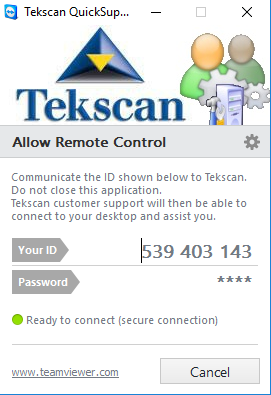
- Provide the 9-digit ID (Example shown below)
Note: If there are any errors downloading or installing the TeamViewerQS.exe above, please use this .zip file link:
- Click the link above to open the download dialog box
- Unzip the downloaded file.
- Double-click and install TeamViewer
- Tekscan will need your 9-digit ID
Source URL: https://www.tekscan.com/support/faqs/how-download-and-install-teamviewer
List
https://tekscan.sharefile.com/share/view/s3693e44478a4498893fe2a26665c21af
https://tekscan.sharefile.com/share/view/sa3970b003f32475d92b4a94fb937703d